Python has The syntax is relatively compact, easy to read and gives quick results, so it is often a child's first written language. But “easier” doesn't mean every baby should start right away with Python. Children still have to type accurately, read error messages, and keep many details in mind at the same time.
References by age
- Kindergarten to grade 1: prioritize play with sequence, orientation, and pattern recognition; no need for text coding.
- Grade 2–3: learn drag-and-drop blocks with loops and conditions; You can see a few short Python commands if your child is curious.
- Grades 4–5: Many children are ready to write small Python programs, especially if they have learned drag-and-drop.
- From grade 6: can learn Python more systematically with variables, functions, lists and small projects.
This is a reference map, not a deadline. A 3rd grader who reads well and loves puzzles can try it early. A 5th grade child who still finds the keyboard uncomfortable can continue learning with blocks without being "slow".
Five signs the child is ready
- The child can read and understand a short instruction and follow many steps.
- The child types letters, numbers and some symbols without getting too tired.
- Children understand sequences, loops and conditions on an intuitive level.
- When the result is wrong, they can look back instead of wanting to quit immediately.
- Children are genuinely curious to create a game, drawing or story with code.
No need to wait for all five signs signals.If your baby has three or four signs and wants to try, start with a short session with visual results.
What should the first Python lesson be like?
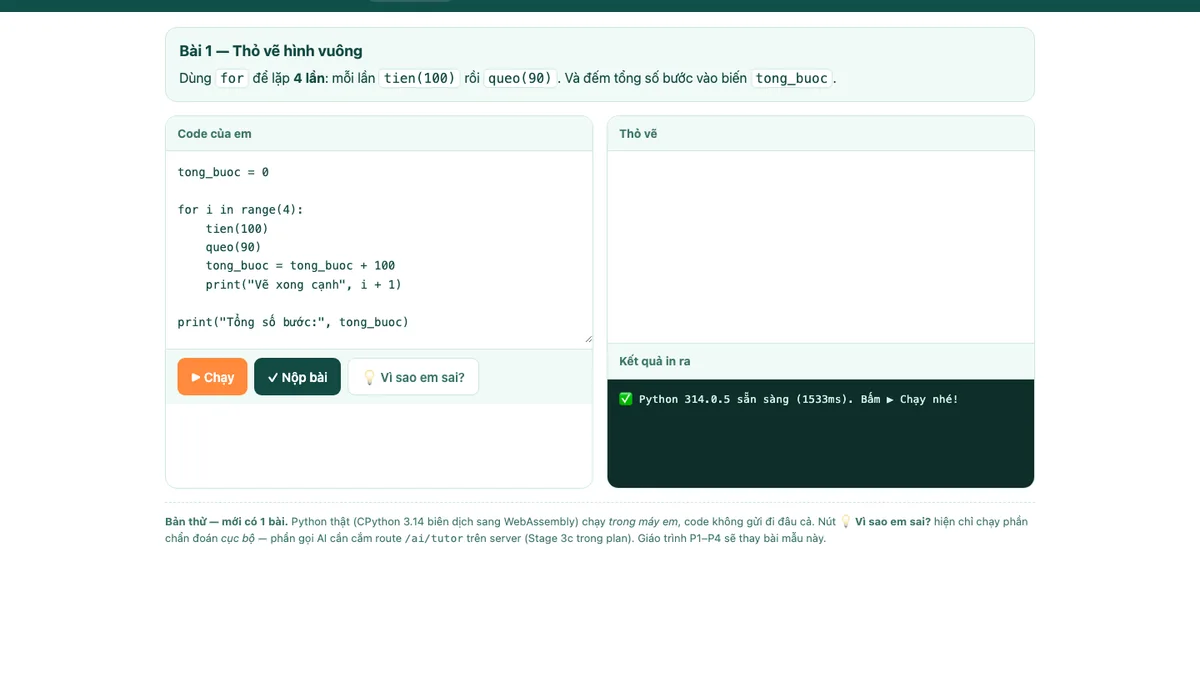
Don't start with a long lecture on data types. Let the command create what your baby sees: send the bunny away, draw a square, change the color of a character, or print a greeting with your baby's name. Then, together with your child, realize the concept inside.
The first session only requires three things: edit a number and run it again, add a command, and then explain verbally what the program is doing. The goal is for your child to feel like “your ideas make the machine act,” not having to remember all the syntax.
Transition from drag-and-drop, not starting from the beginning
Parents can place a block loop next to a Python loop. Your baby will see the same logic: repeat four times, each walk and turn. Only the representation changes. This continuity helps Python feel less like a page of unfamiliar text.
If your child makes too many typing mistakes, go back to the command block for the new concept and use Python for the familiar part. Going back and forth between the two environments is a learning strategy, not a step back.
Short Answer
Grade 4–5 is a common place to start Python, but decide based on your ability to read, type, understand logic, and your attitude toward errors. Start small, be intuitive, and keep the goal of practicing thinking.
Your child might not be ready for Python yet?
Let your child build a foundation with command blocks first, then try Python when he wants to take it a step further.
Try the drag-and-drop route →